
Download Redshift Premium – Full‑HD Solar System Explorer, Free & Secure
Overview of Redshift Premium
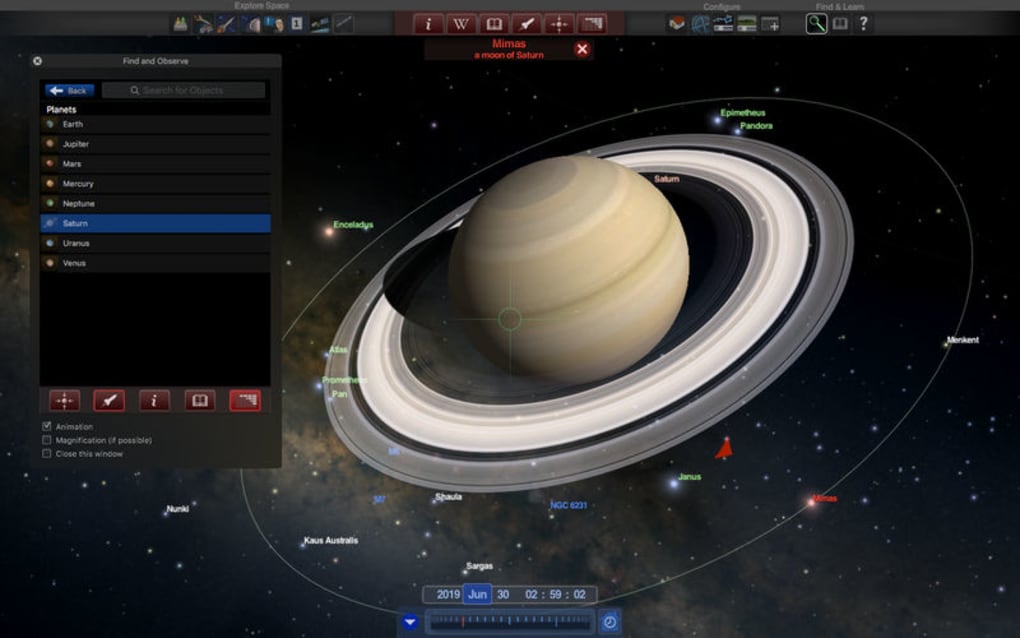
Redshift Premium is a premium astronomy‑focused desktop application that brings the entire solar system to life on your PC. Developed with both casual stargazers and serious educators in mind, the software renders planets, moons, asteroids, and comets in stunning full‑HD resolution, allowing users to zoom from a bird‑eye view of the solar system down to the surface details of Mars or the swirling storms of Jupiter. The interface is intentionally minimalistic: a clean navigation bar, an intuitive 3‑D orbital view, and a powerful search function that lets you jump directly to any celestial body.
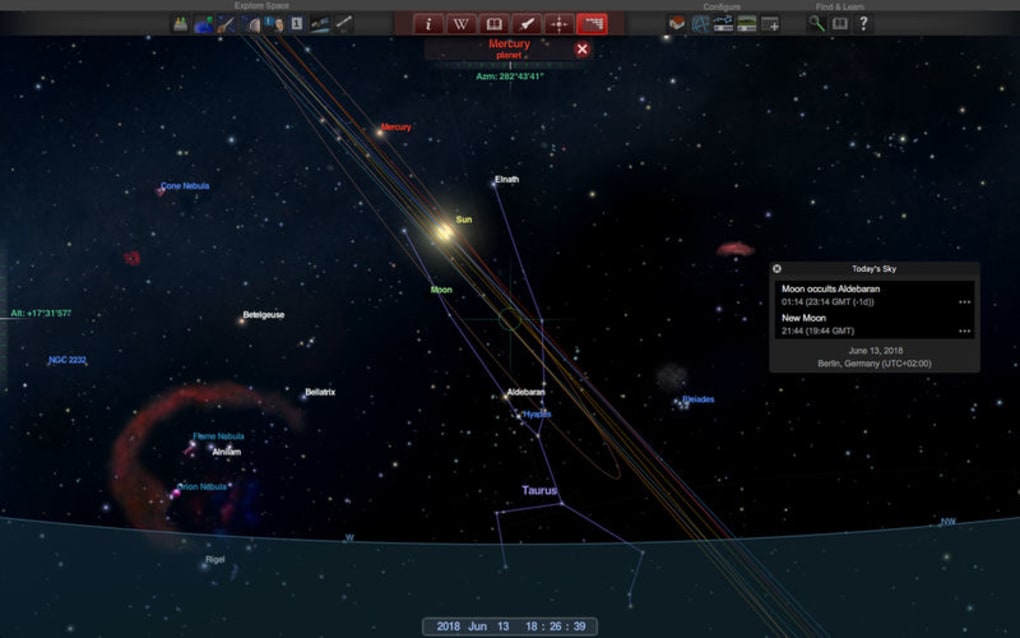
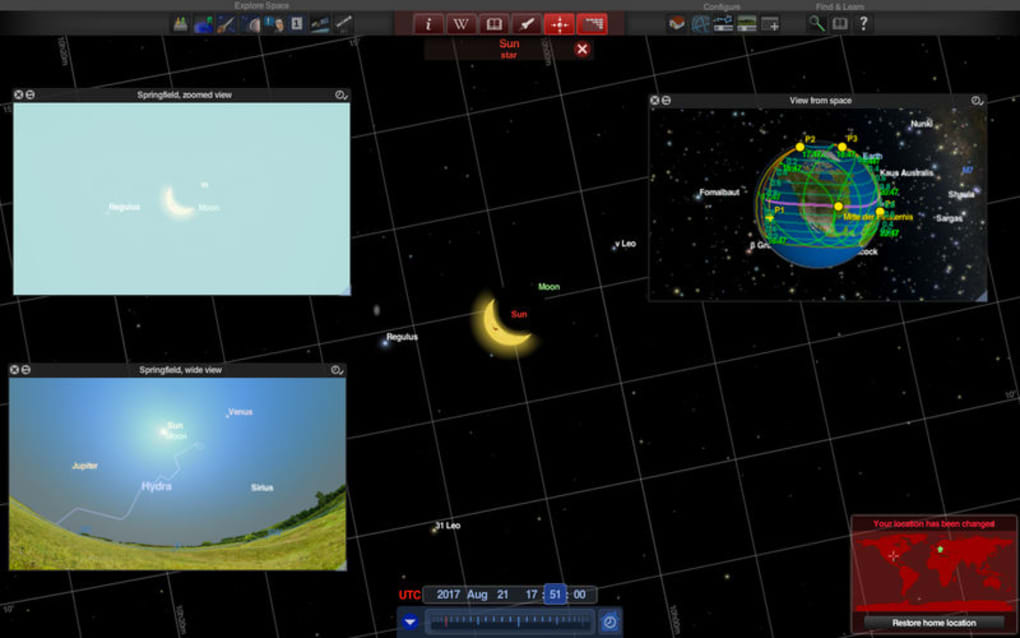
What sets Redshift Premium apart from free alternatives is the depth of its data layers—real‑time orbital positions, scientific annotations, and customizable lighting that mimic sunrise, sunset, and eclipse events in real time. Users can also toggle a “Night Sky” mode that overlays constellations and deep‑sky objects, turning the program into a hybrid planetarium and educational toolkit. Because the application is built on a secure update framework, you receive the latest planetary data and graphics patches automatically, ensuring the experience stays both accurate and visually fresh.
Whether you’re preparing a classroom lesson, planning an amateur observation session, or simply enjoying a virtual tour of Saturn’s rings, Redshift Premium offers a reliable, high‑performance gateway to the cosmos from the comfort of your desktop.
Key Features & Highlights
- Full‑HD 3‑D Rendering: Every planet, moon, and major asteroid is modeled with high‑resolution textures and dynamic lighting for a realistic visual experience.
- Real‑Time Orbital Mechanics: Positions update automatically based on NASA’s latest ephemeris data, so you always see the current arrangement of the solar system.
- Customizable Views: Switch between heliocentric, geocentric, or top‑down perspectives, and adjust camera speed, zoom limits, and background star density.
- Scientific Annotations: Click on any object to reveal facts, discovery history, orbital parameters, and physical characteristics sourced from reputable space agencies.
- Night‑Sky Overlay: Enable constellations, deep‑sky catalogs, and meteor shower alerts while still viewing planetary bodies.
- Educational Mode: Pre‑built lesson plans and guided tours for teachers, complete with printable worksheets and quiz generators.
- Secure Auto‑Updates: The app checks for data and graphics updates daily, downloading them over encrypted connections without user intervention.
- Low System Footprint: Optimized for modern PCs, Redshift Premium runs smoothly on integrated graphics cards while still delivering crisp visuals.
Pros
- Immersive full‑HD visuals that rival many paid planetarium software packages.
- Accurate, regularly refreshed astronomical data from trusted sources.
- User‑friendly interface suitable for all ages and skill levels.
- Free to download with optional premium add‑ons for deeper scientific analysis.
- Lightweight performance ensures smooth operation even on older Windows PCs.
Cons
- No native mobile version; the experience is limited to desktop environments.
- Advanced astrophysics tools (e.g., orbital simulation scripting) are not included in the free tier.
- Limited customization of UI themes; users must work within the default dark/light scheme.
Installation, Usage & Compatibility
Step‑by‑step installation: Download the installer from the official Redshift Premium website. The executable is signed with a trusted certificate, guaranteeing a secure installation process. Run the file, accept the license agreement, and choose the default installation folder (C:\Program Files\RedshiftPremium). The installer automatically creates a desktop shortcut and adds the program to the Windows Start menu.
During the first launch, the application prompts you to download the latest planetary data pack—this is a one‑time download of roughly 250 MB and takes a few minutes on a standard broadband connection. Once the data is synced, the main 3‑D view appears, and you can start exploring immediately. The UI includes a “Quick Tour” button that guides you through the major planets, while the search bar lets you jump directly to any object by name.
Redshift Premium runs on Windows 10, Windows 11, and Windows 8.1 (64‑bit). The software is built on DirectX 11, meaning you’ll need a graphics driver that supports at least OpenGL 4.5 or DirectX 11. While there is no native Mac or Linux version, the program can operate under Windows emulation layers such as Wine, though performance may vary.
Usage Tips for an Optimal Experience
- Enable “High‑Performance Mode” in the settings to allocate more GPU resources for smoother navigation.
- Use the keyboard shortcuts (W/A/S/D for movement, mouse scroll for zoom) to explore quickly without relying on UI buttons.
- Activate the “Night‑Sky Overlay” when studying constellations; you can toggle the visibility of deep‑sky objects independently.
- Save custom camera positions via the Bookmark feature—perfect for presentations or returning to a favorite view.
Frequently Asked Questions
Is Redshift Premium really free?
Yes, the core application is free to download and use. Optional premium add‑ons, such as advanced astrophysics modules, are available for a one‑time purchase.
Can I use Redshift Premium for classroom teaching?
Absolutely. The software includes an Educational Mode with pre‑built lesson plans, printable worksheets, and a quiz generator that aligns with common astronomy curricula.
How often is the planetary data updated?
Data is refreshed automatically every 24 hours from NASA’s JPL Horizons system, ensuring you always see the most current positions and orbital parameters.
Does Redshift Premium support VR headsets?
The current version does not include native VR support, but the developers have announced a roadmap that may add VR compatibility in future updates.
What are the system requirements for optimal performance?
A 64‑bit Windows PC with at least 4 GB RAM, a dual‑core processor, and a graphics card supporting DirectX 11 (e.g., Intel HD Graphics 5000 or better) is recommended.
Conclusion & Call to Action
Redshift Premium delivers a polished, educational, and visually compelling tour of our solar system without demanding a high‑end workstation or a subscription fee. Its combination of real‑time data, full‑HD rendering, and a user‑centric design makes it a standout choice for anyone looking to explore the heavens from a desktop environment. While the lack of native mobile support and advanced scripting tools might deter power users, the free core offering is more than sufficient for students, teachers, and casual astronomy enthusiasts.
If you’re ready to bring the cosmos to your screen, click the download button below. The installer is secure, the update mechanism is automatic, and you’ll be navigating planets and moons within minutes. Join the growing community of Redshift Premium users and start your interplanetary adventure today!







